01 / MEET THE SERVER
The machine is the server
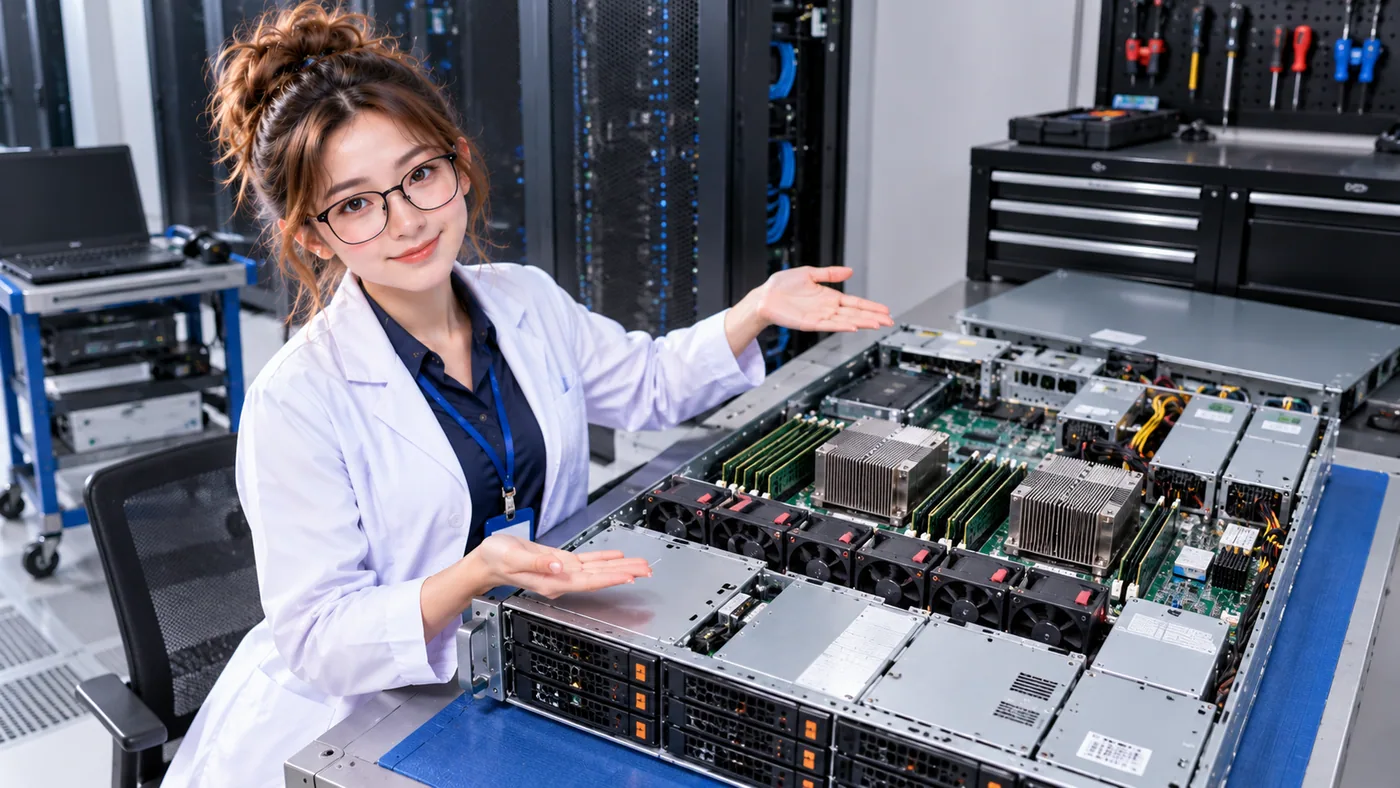
In this picture, the individual horizontal machine pulled partway out is a server. The tall cabinet around it is the server rack. A rack can hold many servers alongside switches, power equipment, and other devices.
A server is not the server rack. The server performs computing work; the rack provides a standardized place to mount and organize it. If you want to meet the structure first, read What Is a Server Rack?
Rack servers attach to mounting rails so teams can install, connect, and service them in a shared data center layout. A server describes a role—providing computing resources—as well as the physical machine shown here.

02 / WHAT DOES IT DO?
A server provides computing services
Other computers and people request something; a server uses its computing resources to provide it. That service could be a website, an application, a database, file storage, a virtual machine, an API, an AI workload, or an internal business system.
Servers come in different physical shapes, and some server roles run in virtualized or cloud environments. This lesson focuses on the physical rack server because it makes the power, equipment, and cooling connections visible.
- Websites & applications
- Databases & APIs
- Files & virtual machines
- AI & business workloads
03 / WHAT’S INSIDE?
Parts working together in one chassis
Open a server and you’ll find familiar computer parts arranged for a compact, serviceable machine. Each part contributes to the work the server can perform.
- CPU
- Performs instructions and calculations.
- RAM / memory
- Holds data that active work needs quickly.
- Storage
- Keeps data when the server is switched off.
- Network interface
- Connects the server to other systems.
- Fans
- Move air through the chassis to carry heat away.
- Power supplies (PSUs)
- Convert incoming power to forms the electronics use.
- Motherboard
- Connects the major components so they can work together.
A SIMPLE SERVER MAP
What comes together to do the work?
- CPU
- RAM
- Storage
- Network
- Power
- Cooling fans
Computing work
04 / POWER ENTERS THE SERVER
From the PDU to the server’s components
The PDU distributes electrical power to devices in the rack. A cable carries that power to a server’s power supply unit (PSU), which converts it into the voltages the internal electronics need.
- Upstream power
- PDU
- Server PSU
- Server components
Some enterprise servers have two PSUs that can connect to separate power paths, such as PDU A → PSU A and PDU B → PSU B. That arrangement can support continuity when the paths are truly independent and the remaining path has enough capacity. Two cords by themselves do not guarantee redundancy.
05 / FOLLOW THE CONSEQUENCES
Workload connects compute, power, heat, and cooling
A workload asks the server to do useful work. Its components use electrical power as they compute, and that energy ultimately becomes heat in the data center environment. The facility’s cooling system must remove that heat.
- Workload
- Compute
- Power
- Heat
- Cooling
This is why data center planning looks at IT workload, electrical capacity, and cooling together. DataCenterTwin’s AI Workload Ramp lab lets you observe that dynamic relationship in a facility model.
06 / FROM ONE SERVER TO MANY
Servers work as part of a larger facility
One server provides a portion of a facility’s computing capacity. A rack can hold many servers, rows group many racks, and a data center brings those rows together with power, networking, cooling, and space for operations.
As systems grow, total compute capacity, electrical demand, heat, network traffic, and infrastructure needs can all grow. Their exact relationship depends on the workload, equipment, and design; adding servers does not make every requirement scale identically.

- Components
- Server
- Rack
- Rack row
- Data center
A QUICK COMPARISON
Server vs. server rack
Server
- Computing machine
- Contains CPU, memory, storage, and networking
- Performs workloads
- Consumes power and produces heat
Server rack
- Physical frame or cabinet
- Holds multiple devices
- Organizes servers, network, and power equipment
- Provides standardized mounting space
For the rack’s role and layout, continue withthe Server Rack lesson.
SAME FAMILY, DIFFERENT SETTING
How is a rack server different from a desktop?
Both are computers. Rack servers are commonly designed for shared facilities where continuous operation, remote management, service access, dense installation, multiple network connections, predictable airflow, or redundant power options can matter. Features vary by model; not every server includes every capability.
07 / WHY SERVERS NEED COOLING
Fans move heat out of the chassis
A server’s fans move air past its components. Many rack servers draw cooler air through a front inlet and exhaust warmer air at the back. The room’s cooling system then has to carry that heat away from the equipment and reject it outside the IT space.
This is only the first step in understanding cooling. Airflow and heat removal across a whole room have their own lessons in the beginner journey.
KEEP THESE IN MIND
Three things to remember
- The server is the computer. The rack holds and organizes it.
- Parts work together. CPU, memory, storage, network, power, and cooling support computing.
- Compute has facility consequences. Workload uses power and produces heat that cooling must remove.
NOW PUT SERVERS TO WORK IN DATACENTERTWIN
Explore what happens when workload changes
You’ve met the physical server and its main parts. Next, use DataCenterTwin to follow a changing workload through electrical demand, temperature, and cooling limits.